Teaching strategy · 9 min read
How to teach computing well without being a computer specialist
Most primary teachers feel out of their depth in computing. They shouldn't.
Published 2026-12-14
Computing is the subject primary teachers most consistently say they don't feel confident teaching. Surveys put it ahead of music, languages, and even RE on the 'I'm winging it' rankings. There's a reason — most primary teachers had no computing in their teacher training. Many qualified before computing was even on the National Curriculum (it was added in 2014). Even those who trained recently often had a single afternoon module on it, or an optional course they didn't take.
So when the timetable says 'Computing — 1 hour Wednesday afternoon,' a lot of primary teachers do one of three things:
1. Open Scratch and let the children play. 2. Give them a typing exercise. 3. Watch a published video tutorial and make them copy what's on screen.
None of these is teaching computing. They're survival strategies for a subject the teacher doesn't feel they understand.
The honest truth: you don't need to be a software engineer to teach primary computing well. The KS2 computing curriculum is genuinely small, conceptually simple, and accessible to any teacher willing to spend a few hours getting comfortable with it. Here's a practical guide.
What primary computing actually is
The KS2 National Curriculum for computing covers four main areas:
1. **Computer Science** — algorithms, programming, debugging, networks 2. **Information Technology** — using software (writing, presenting, spreadsheets, databases) 3. **Digital Literacy** — online safety, recognising fake content, being a good digital citizen 4. **Programming** — usually taught with Scratch in primary
That's it. There's no expectation that children become software engineers. The expectation is that they understand how computers and networks work conceptually, can think computationally (in steps, with logic), and can write simple programs.
Most of this is closer to applied logic than to specialist computer science. If you can teach a child to follow a recipe in order, you can teach them about algorithms.
The five computing concepts you actually need
Once you know the underlying concepts, primary computing gets dramatically easier to teach. There are five.
**1. Algorithm.** A precise list of steps to do something. Brushing your teeth is an algorithm. A recipe is an algorithm. So is a Scratch program.
**2. Sequence.** The ORDER of steps matters. Putting on socks before shoes vs. shoes before socks — the same steps in different order produce different results. Computers do exactly what you tell them in the order you tell them.
**3. Loops.** Repeating something. 'Repeat 5 times: sing happy birthday.' Computers are very good at loops. Loops are also why programs sometimes get stuck (an 'infinite loop').
**4. Conditionals (IF/THEN).** A choice based on something being true. 'IF the door is locked, THEN use the key.' This is how computers make decisions.
**5. Variables.** Boxes that store information you can change. Like a score in a game — it starts at 0, goes up when you collect a coin, gets reset when you start again.
If you can explain these five concepts using everyday examples (no computer needed), you're 80% of the way there. The Scratch blocks just give you a way to demonstrate them visibly.
What good teaching looks like
A few principles that work, whether you're a specialist or not.
**Unplugged first.** Many of the best primary computing lessons don't use a computer at all. Children write algorithms for making toast. They debug each other's instructions for drawing a shape. They act out being a computer following commands. This builds the underlying thinking BEFORE they touch a screen, and it's much easier for the teacher to facilitate.
The Computer Science Unplugged project (csunplugged.org) has dozens of free activities for this. Most take 30-60 minutes and need only paper and a few props.
**Live demonstration.** When you DO use Scratch, demonstrate live with the children watching. Make mistakes deliberately and debug them out loud. This is much more powerful than showing them a finished example. They see that getting code wrong is normal — and that fixing it is the actual skill.
**Pair programming.** Have children work in pairs on the same screen — one 'driver' (controls the mouse) and one 'navigator' (suggests what to do). Swap every 5 minutes. This produces vastly more thinking and discussion than individual work.
**Small wins, then build.** Don't try to teach a whole game in one lesson. Teach: 'make the cat move.' Next lesson: 'make the cat move when you press an arrow key.' Next: 'make the cat say hello when you click it.' Each lesson adds one concept. By half term, the children have built a working game without it ever feeling overwhelming.
**Debug as the central activity.** When things don't work — and they often won't — make debugging the lesson, not the obstacle. 'What does this code TELL the computer to do? What did we WANT it to do? What's different?' This is the genuine skill. Kids who never have to debug haven't really learned to program.
What if I genuinely don't understand it?
You're allowed to learn alongside the children. This is harder to admit than it should be.
When you're stuck on something in Scratch: - Try it with the children. 'Let's see what happens if we...' - Read the code together. 'I think this block is saying... what do you think?' - Look it up. The Scratch website has tutorials. So does YouTube. So does ChatGPT, if you frame it as 'how do I do X in primary Scratch?'
Children are not impressed by a teacher who pretends to know everything. They are impressed by a teacher who says 'I don't know — let's figure it out.' That's what computing is, professionally. Even Google engineers spend half their time stuck on something they don't yet understand.
Common pitfalls
A few specific traps to avoid.
**Following a video too literally.** Many primary computing schemes have video tutorials children follow step by step. If the children just copy what's on screen without understanding it, they haven't learned anything. They've performed copying. Stop the video periodically and ask them to predict what's coming next, or change one thing and see what breaks.
**'Computing means typing.'** Some lessons end up being typing practice with no computational thinking. Typing is a useful skill but it's not what the curriculum means by computing. If your computing lesson could have been a handwriting lesson with the same outcome, it's missed.
**Year-on-year repetition.** A common pattern: Year 3 does Scratch, Year 4 does Scratch again at the same level, Year 5 does Scratch a third time. The children become bored and don't progress. Plan the progression — Year 3 simple sequences, Year 4 loops and conditionals, Year 5 variables and broadcasts, Year 6 their own designed game with all of these. Same tool, increasing complexity.
**Treating it as 'fun time.'** Computing lessons can be enjoyable, but if children think it's just play, they won't engage with the harder concepts. Have learning objectives. Mark work. Discuss what they've learned. Take it seriously as a subject.
**Avoiding the AI conversation.** Children are using AI tools at home. Pretending it doesn't exist isn't helpful. The 2026 curriculum explicitly addresses AI; the 2025 statutory online safety guidance covers it. Teach it explicitly — what AI is, how it works, what it's good and bad at, how to use it responsibly. Don't just ban it.
What a sensible KS2 computing year looks like
If you're teaching Year 5 and have to plan a year of computing, here's a sensible structure:
- **Autumn 1**: Algorithms and computational thinking (mostly unplugged) - **Autumn 2**: Scratch programming — sequence, loops - **Spring 1**: Scratch programming — conditionals, variables (build a small game) - **Spring 2**: Spreadsheets and data - **Summer 1**: Networks and the internet (how does the web actually work?) - **Summer 2**: Online safety, digital citizenship, AI
Each half term has a core concept. Each builds on the last. None require you to be a computer scientist. All have free resources online.
Resources I'd actually use
A few free, primary-friendly computing resources I trust:
- **Barefoot Computing** (barefootcomputing.org) — free CPD and lesson materials, written for non-specialists - **Code Club** (codeclubprojects.org) — free Scratch (and other) projects, pitched for primary - **CS Unplugged** (csunplugged.org) — computing without computers - **Scratch website** (scratch.mit.edu) — has its own tutorials and a community of children sharing projects - **Hour of Code** (hourofcode.com) — short structured lessons, especially good for first introductions - **Common Sense Education** (commonsense.org/education) — strong online safety and digital citizenship materials
LessonKind has knowledge organisers for the major computing topics — algorithms, Scratch programming, networks, data, online safety, AI — designed to give you a one-page summary you can teach from confidently.
The takeaway
You don't have to feel confident in computing before you start teaching it well. Most primary teachers don't. What matters is:
- Understanding the five core concepts (algorithm, sequence, loops, conditionals, variables) - Doing some unplugged work before you touch a computer - Showing children that mistakes and debugging ARE the lesson, not obstacles to it - Building progression across the year - Using one good resource consistently rather than a different scheme each lesson
Computing is one of the most rewarding subjects to teach when you stop trying to be an expert and start treating it like applied logic. Children love it. They are usually ahead of you in some areas (faster on a keyboard, less afraid of breaking things) and behind in others (logical thinking, planning before coding). Your job is the second part — that's the bit they need teachers for.
You can do this. It's actually not that hard once you commit to the basics.
Practical resources for this
Take this further
Printable, classroom-ready resources for the topics in this article.
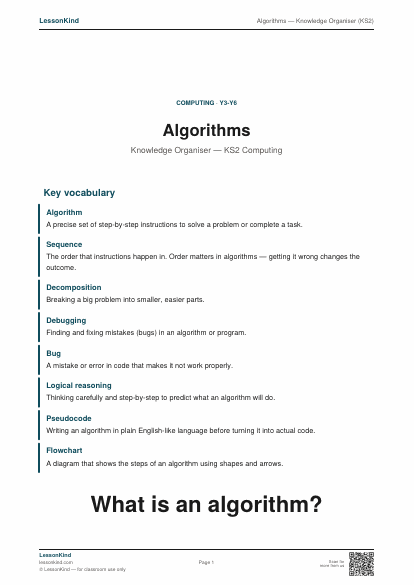
Algorithms — Knowledge Organiser (KS2)
Single-page reference for KS2 computing — algorithms. Covers what algorithms are, sequences, decomposition, debugging, and real-world examples. Aligns with KS2 NC computing requirements.
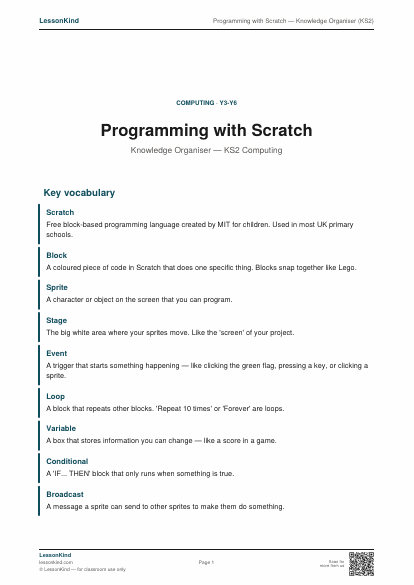
Programming with Scratch — Knowledge Organiser (KS2)
Single-page reference for Scratch programming concepts in KS2. Covers blocks, sprites, events, loops, variables, and conditionals. Aligns with KS2 NC computing programming objectives.
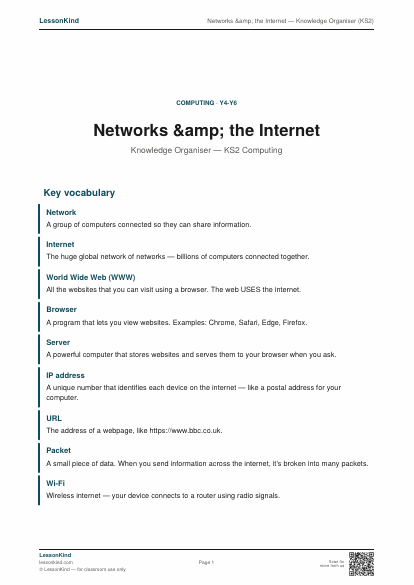
Networks & the Internet — Knowledge Organiser (KS2)
Single-page reference for KS2 networks and internet topic. Covers what networks are, the difference between internet and World Wide Web, packets, servers, IP addresses, and how email travels. Aligns with KS2 NC computing.
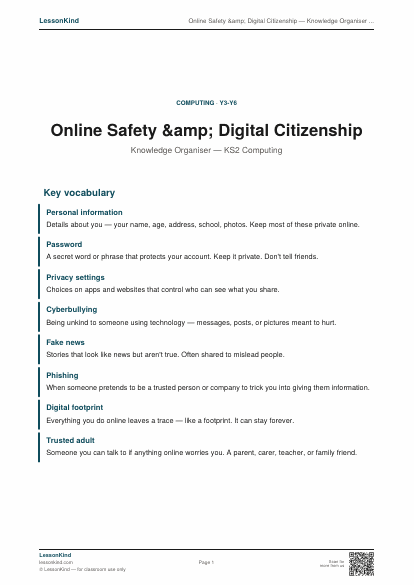
Online Safety & Digital Citizenship — Knowledge Organiser (KS2)
Single-page reference for KS2 online safety. Covers personal information, passwords, what to do about worrying content, kindness online, and recognising fake or unreliable information. Aligns with KS2 NC computing and DfE statutory online safety guidance.
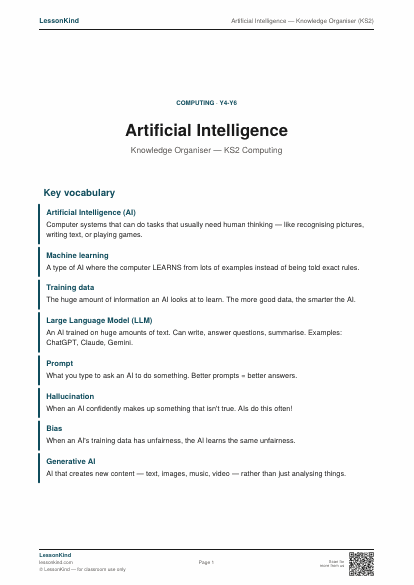
Artificial Intelligence — Knowledge Organiser (KS2)
Single-page reference for KS2 introduction to AI. Covers what AI is, how it learns, large language models, AI uses in everyday life, limitations, and how to use AI tools responsibly. Brand-new topic for primary computing.
Going deeper
Books on teaching computing in primary schools
If you're teaching computing without a specialist background, these books will fill in the gaps.
Teaching primary computing
Computational thinking
Online safety and digital citizenship
Convenience links to Amazon. As an Amazon Associate we earn from qualifying purchases at no extra cost to you. Read our affiliate disclosure.
Keep reading
Teaching strategy
Differentiation without 27 worksheets
The 'must, should, could' tiered worksheet model has been the default differentiation approach in UK primary for two decades. It's exhausting to plan, often counterproductive, and based on assumptions that don't hold up. Here's a better way.
8 min read
Assessment & feedback
What we got wrong about formative assessment
Assessment for Learning was supposed to transform teaching. In practice it became a checklist of techniques applied formulaically — learning objectives, success criteria, traffic lights, peer marking. The research it came from said something more interesting.
8 min read